When several brands sell similar-looking jump starters, why should customers choose yours?
A logo helps end users recognize your brand, but their reasons to buy depend on specific questions: How do they check the charge level? What emergency starting options are available with a 0 V battery, or no battery? What else will they need after receiving the product?
For brand owners and importers, differentiation can start with these questions. Turn product features into clear visuals and explanations that help users understand the product's value.
The F40-8250 Pro from Jolly Flying Starter provides a practical example. Its display, Force Start function, USB-C charging, and kit configuration offer specific points around which a brand can organize its product pages and sales content.
Suppose you are preparing to sell a jump starter online, and the page says only that it has a large screen. Users know there is a display, but they may still be unsure what it tells them.
The F40-8250 Pro has a 3.7-inch display. A detail image can show the battery percentage, 12 V ready indicator, and power readout separately, making their positions clear to customers.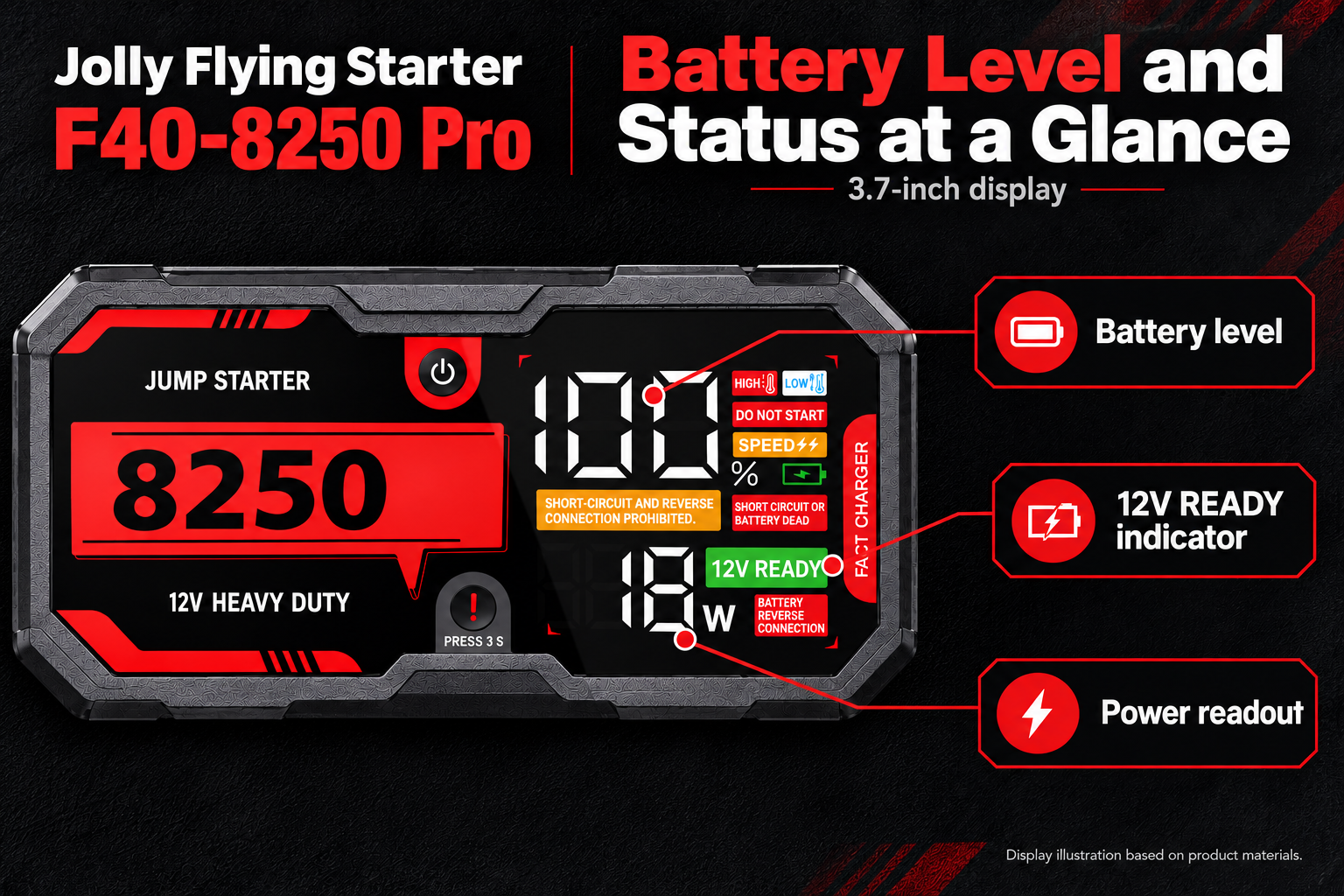
Display illustration based on product materials, showing the information areas.*
For example, a product description could say:
Check the charge level and device status. The F40-8250 Pro's 3.7-inch display shows battery level, a 12 V ready indicator, and a power readout, so buyers can check the relevant information.
Sales staff can also introduce these three areas during demonstrations. Explanations of when indicators appear and how users should respond must match the corresponding manual.
This makes the display a selling point that can be demonstrated and gives your brand specific content for product images, instructions, and demonstration videos.
For users who need to address severely discharged batteries, the availability of an additional starting mode is a specific purchasing consideration.
**The F40-8250 Pro's Force Start function highlights capabilities for two situations: starting with a 0 V discharged battery, and starting without a battery under specified conditions.
| Scenario shown in the product materials | What it means for product selection |
|---|---|
| Starting with a 0 V discharged battery | A Force Start mode for emergency needs involving extremely low battery voltage and limited normal detection; check the applicable vehicle and battery conditions. |
| Starting without a battery | A feature for buyers with specialized starting requirements to evaluate further; confirm vehicle compatibility, connection conditions, and operating requirements. |
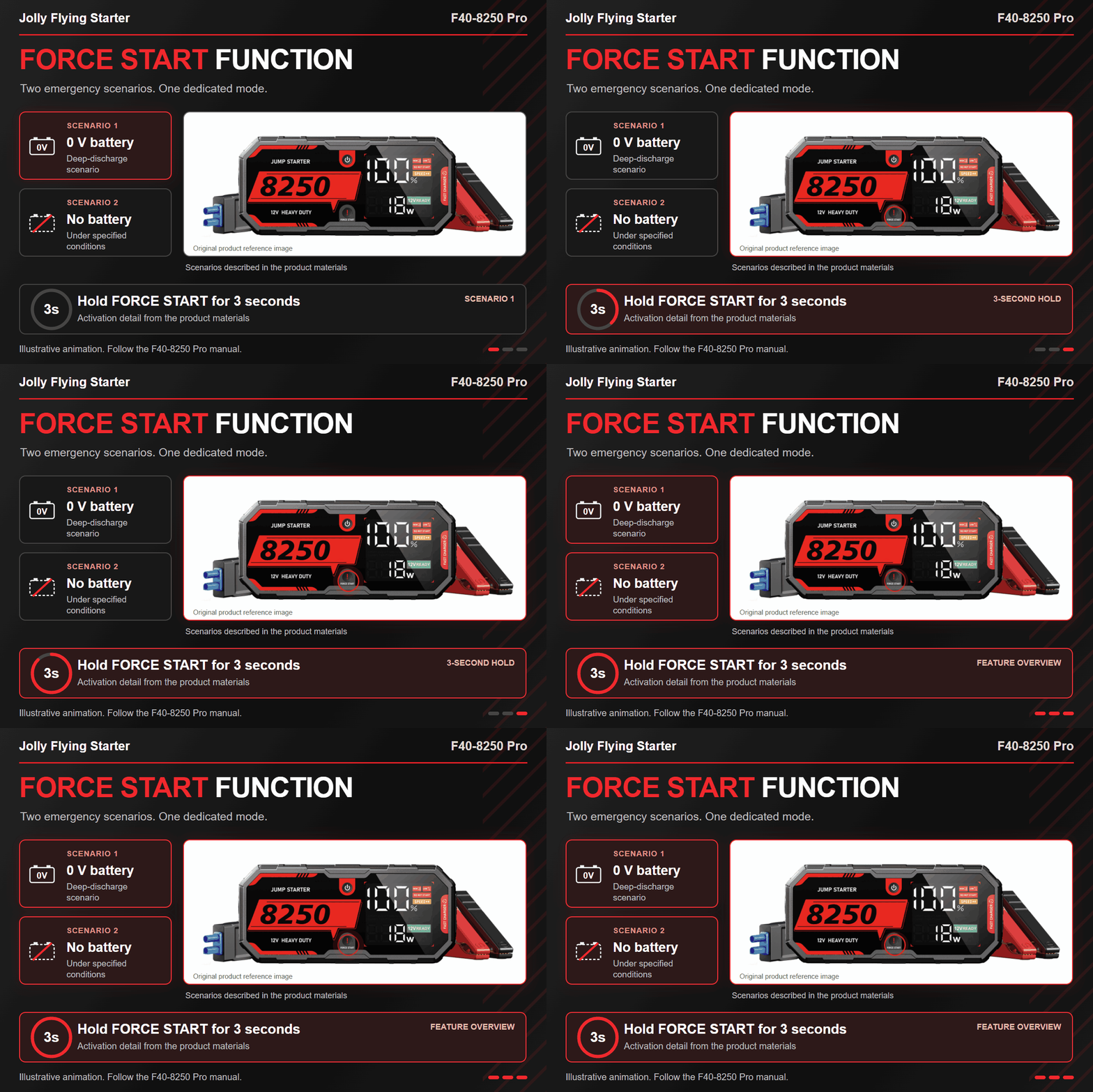
For example, suppose an automotive accessories brand serves repair and emergency-service users. A user might ask, "What starting options does this product offer if normal mode cannot detect the battery, or the vehicle has no battery installed?" This gives the F40-8250 Pro's Force Start function a clear context, helping the brand explain its emergency value alongside normal mode.
The materials also specify holding the Force Start button for three seconds. Brands can prepare feature explanations and sales demonstrations around the button location, application conditions, and display prompts. Actual operation must follow the complete manual for this model.
These scenarios are described in the F40-8250 Pro product materials. Before use, confirm vehicle compatibility, battery condition, connections, and operating conditions according to the model-specific manual.
For product ranges addressing deeply discharged batteries or specialized starting needs, Force Start is a concrete feature to include in sourcing comparisons—and a reason to consider the F40-8250 Pro.
"USB-C charging" identifies an interface, but users may still ask before ordering: Is a cable included? Is there a carry case? Will I need a separate charging adapter?
The illustrated F40-8250 Pro kit shows how the delivery contents can be presented together: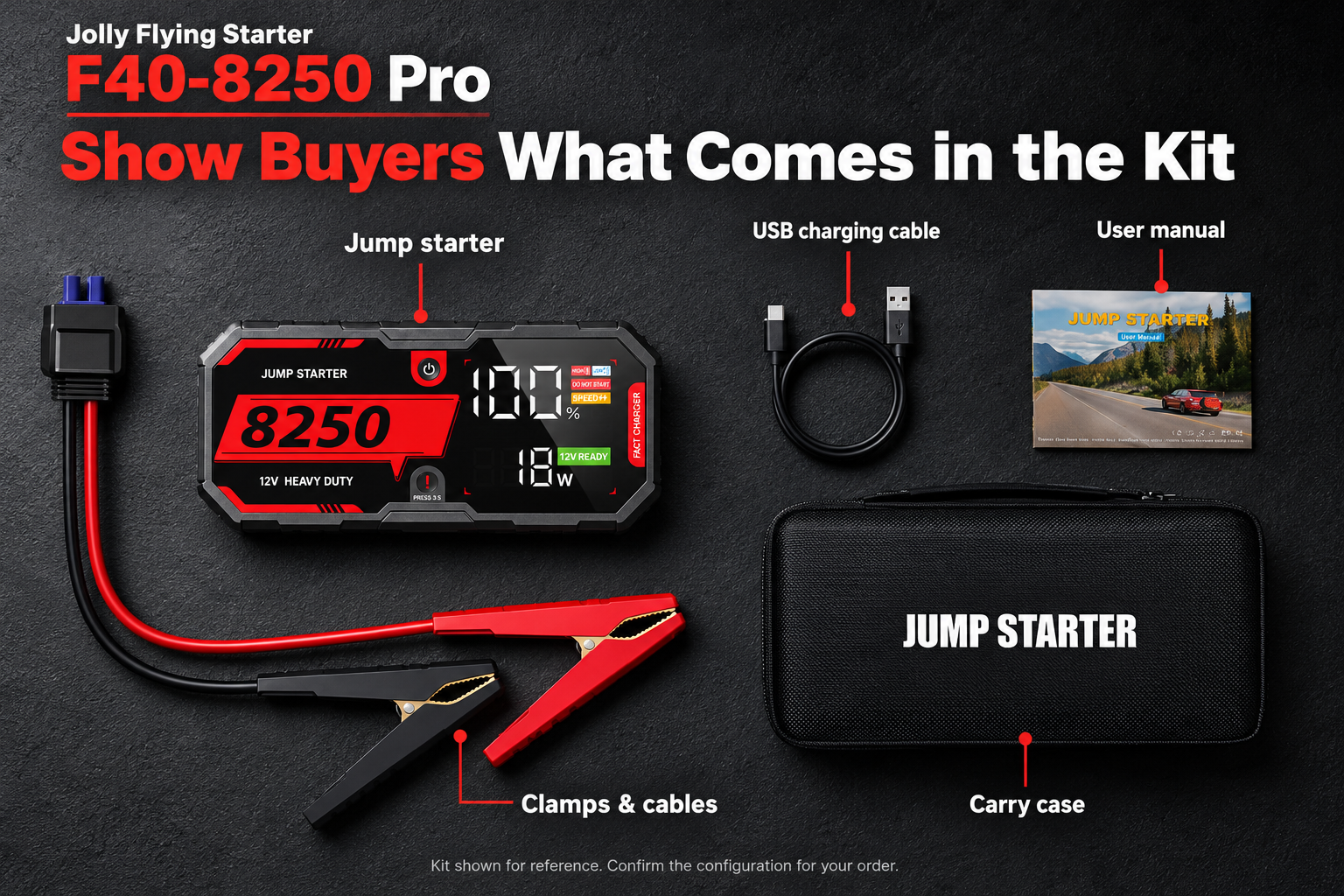
Kit illustration based on product materials. The actual order configuration is subject to the confirmed contents list.
| Illustrated item | Question the product page can answer |
|---|---|
| Jump starter unit | Which model will I receive? |
| Clamps and cables | What connection components are supplied? |
| USB charging cable | Is the charging cable included in the delivery list? |
| User manual | Where can I find operating instructions and indicator explanations? |
| Carry case | How can the unit and accessories be stored? |
For example, an automotive accessories brand serving family car owners can show the full kit on its product page and clearly list the actual inclusions and required adapter specifications. Customers can then understand what they need to prepare before buying.
If a brand wants to add an adapter to the kit, it should specify the requirements and quantity during sourcing, confirm the available configuration and quote, and then update the packaging and product page accordingly.
A clear kit presentation is both sales content and part of the sourcing requirements.
Differentiation needs to remain consistent wherever users encounter the product.
For the F40-8250 Pro, sales materials can be organized around the same information:
Include these points in private label discussions, confirming which packaging, instructions, and content options are available and the corresponding order terms.
If you want to build selling points around the display experience, Force Start emergency functionality, USB-C charging, and kit configuration, put the F40-8250 Pro on your priority sourcing shortlist.
Tell Jolly Flying Starter your sales countries and channels, expected order quantity, and logo, packaging, and kit requirements to request F40-8250 Pro product information and a corresponding OEM quote.
Contact Jolly Flying Starter to discuss an F40-8250 Pro solution for your brand. Confirm the product configuration, sales material requirements, and delivery terms to move your order forward.
